MC Box Assy Replacement
Prerequisites
Overview
Procedure
- Remove LPCA Cover. Refer to LPCA Cover Removal.
- Remove all the cables from MC Box Assy.
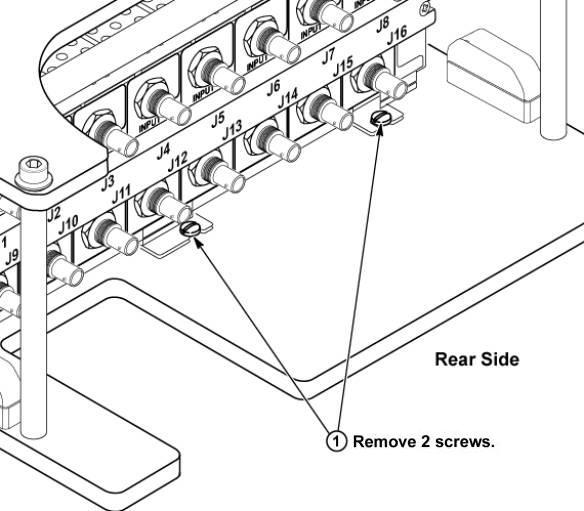
- Remove 2 screws from rear of MC Box Assy.
Figure 1. Remove 2 screws from rear of the MC Box Assy
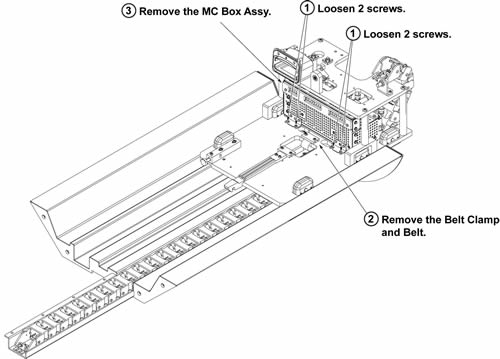
- Loose 4 screws that fix the front of MC Box Assy.
- Slide the defective MC Box Assy toward the rear side slightly
to steer clear of the belt screws and then slide towards the front
to remove it.
Figure 2. Remove Pre-Amp
- Restore the assy by the reverse order of the removal.
1 Finalization
Procedure
- Restore the Power. Refer to Lockout / Tagout for System Cabinet PDU Main Breaker.
- Run MCR tool.
- Run one head or body scan.