Option Software Installation
Prerequisites
Procedure
- Insert Option Key Media.note:
If entering the eLicense Key Code manually, this step is not necessary.
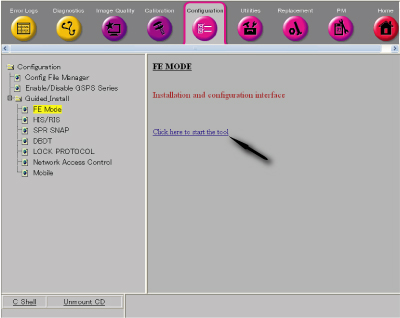
- Select 'Configuration/Guided Install/FE Mode' from Common Service Desktop. Then, click 'Click here to start the
tool'.
Figure 1.
- Enter 'operator' as password.
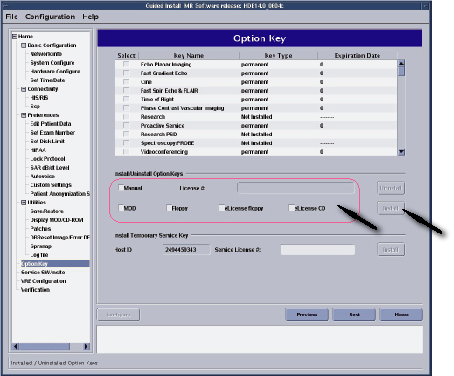
- Select Option Keys from Menu.
- Select Media or enter key license # and click Install.
Figure 2.
- After Option Keys are installed, reboot the computer.
Finalization
No finalization steps.