HD 4CH CTL Cable Replacement
Prerequisites
Follow this process to replace the cable assembly on the 1.5T Signa HD 4CH CTL Coil (P/N: 2415369) by GE/USAI (M3335SS).
Procedure
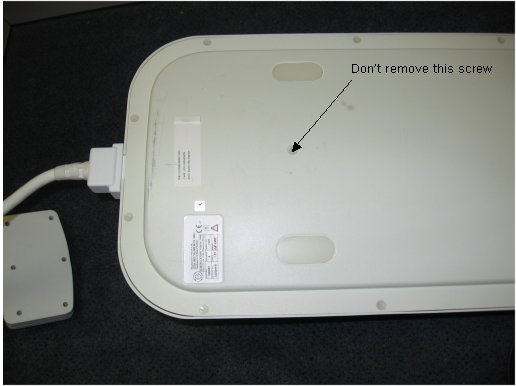
- Lay the CTL coil on its side as shown in the Fig 1 and remove the 19
screws holding the base cover on the unit as shown below in Figure 1. Don’t remove the center up screw
as shown in the illustration below
Figure 1. CTL Coil Screw Removal Position
- Remove two screws on the clamp of strain relief as shown in Figure 2.
Figure 2. Removal of J7-J8 RF Cables from the CTL Coil
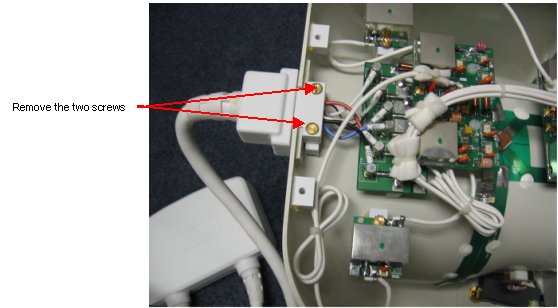
- Disconnect the defective RF cables labeled with J7-J12 carefully as shown in the Figure 2.
- Remove the cable from the base of the coil.
- Insert the new cable to the coil and connect the corresponding RF cables (J7-J12) to the multiplexer board labeled with J7-J12 SMB connector.
- Place the cable clamp on the CTL Coil and screw it with the two screws as shown in theFigure 2.
- Replace the bottom cover and the 19 retaining screws tightened.
Finalization
No finalization steps.