Fixed Table Installation
Prerequisites
Overview
This procedure describes how to install table.
Procedure
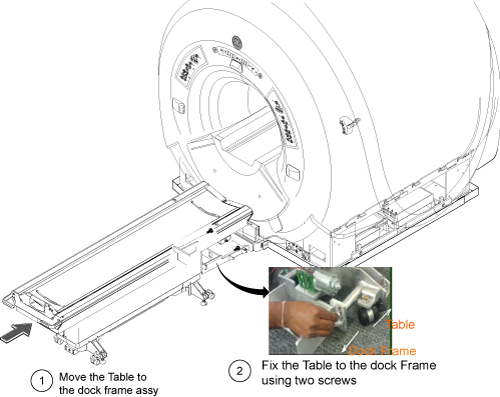
- Move the Table next to the dock structure.
- Fix the Table to the dock frame using two screws.note:
Align the Table and Dock Frame by adjusting the 4 wheels.
note:Do not tighten the screws too tight now since Table adjustment will be performed later.
Figure 1. Dock Mounting Support Installation
- Connect cables.
-
Connect 6111111-J1 to 6111113-J1
-
Connect 6111112-J2 to 6111114-J2
-
Connect RUN421 to Table Control Box J1
-
Connect RUN#2009 (MG2-A29-J1) to Table Control Box J2
-
Connect 6111112 - J2 to Table Control Box J3
-
Connect 6111111 - J2 to Table Control Box J4
-
Ground Cables (x2)
-
Express Coil Cables (x2) to Convert Board 3 (P3 and P4)
-
Connect 5333363 (RUN#M3511) from Mega switch J17 to Convert Board 3 (P5)
-
Connect 5333364 (RUN#M1509) from Mega Switch J22 to Convert Board 3 (P6)
note:Routing of 5333363 (RUN#M3511) and 5333364 (RUN#M1509) from Mega Switch to Convert Board 3 is as follows.
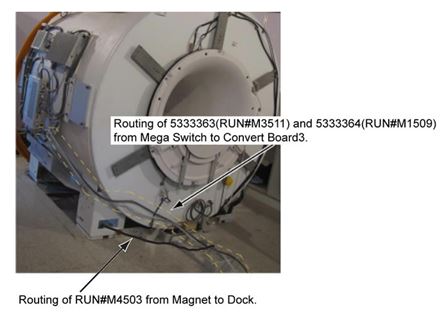
Figure 2. Cable Wiring

Figure 3. Wiring Diagram
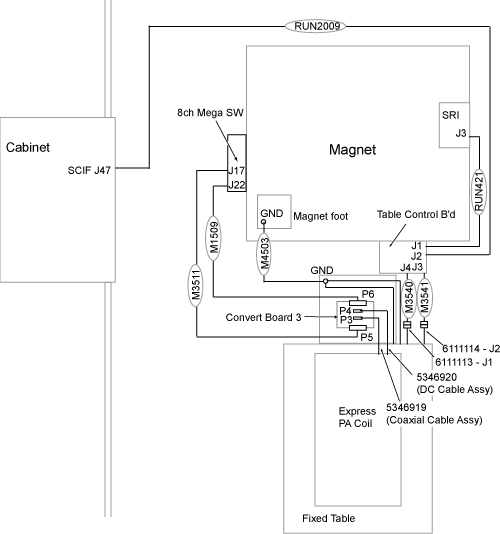
Figure 4. Cable Wiring Detail
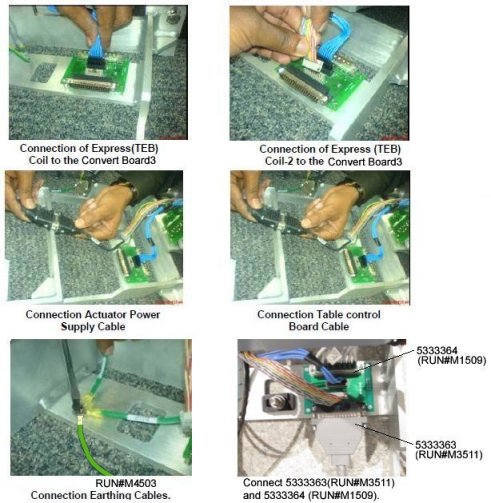
Figure 5. Fixed Table Ground Cable (RUN M4503) at Magnet Foot
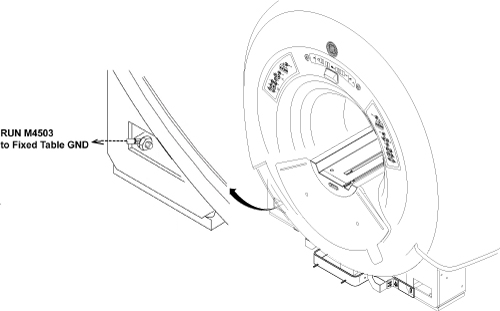
-
Finalization
- Fix Dock Frame Cover with two screws.
Figure 6. Dock Frame Cover
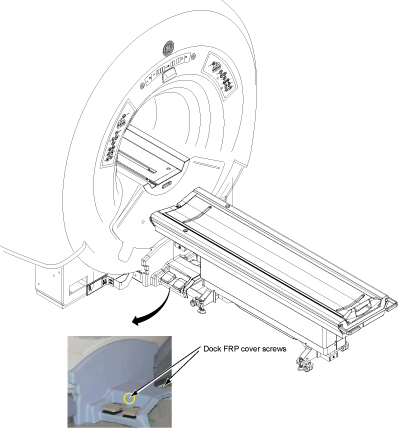
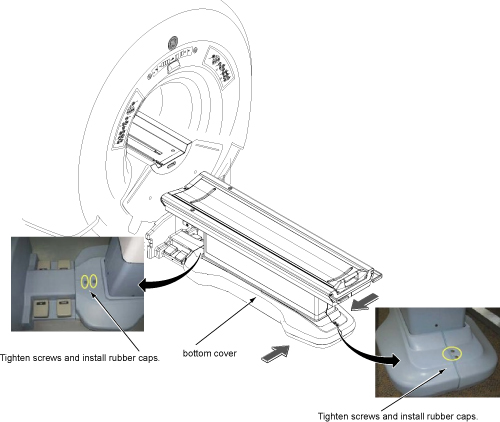
- Install Table Bottom Covers as following illustration.
Figure 7. Table Bottom Covers