1.5T HD Neurovascular Array SNR Test for 4ch System
Prerequisites
Follow this process to check SNR for 4ch system using the 1.5T HD NV Array by Medrad (M3087JJ).
1 Legacy Phantom Setup
Procedure
- Position the coil on the table
- Place the positioner and phantom in the coil. Do not use any pads when running the SNR test.
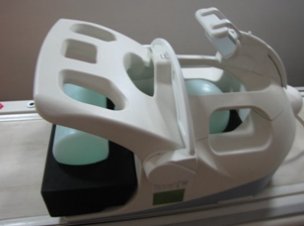
- Press the chest section down till resting on phantom. See Figure 1.
Figure 1. Coil Loaded with Phantoms for SNR Test
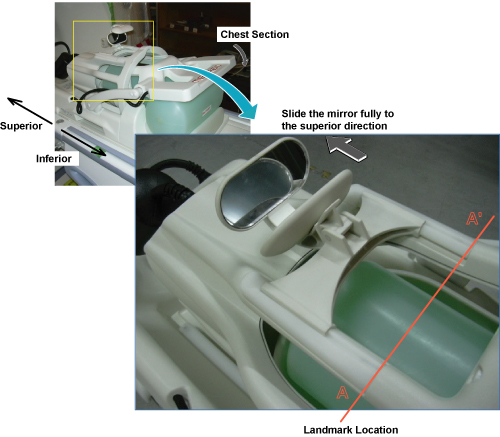
- Slide the head section of the coil all the way in the inferior direction, till it locks in place. See Figure 1.
- Push down the chest section. See Figure 1.
- Landmark on the coil (A-A') on the top part of the head section. See Figure 1.
- Move to scan center.
- Perform MCQA Tool. Refer to Multi-Coil Quality Assurance Tool
2 Unified Phantom Setup
Procedure
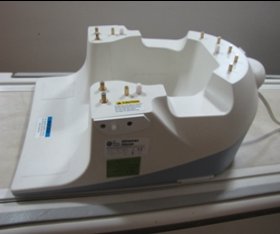
- Place the base of the NV array coil on the patient table and
latch it to the table as shown in Figure 2.
Figure 2. Place the base of the NV array coil
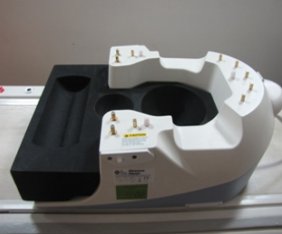
- Place the phantom positioner in the coil as shown in the Figure 3.
Figure 3. Place the phantom positioner
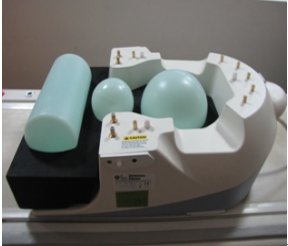
- Place the phantoms in the positioner as shown in the Figure 4.
Figure 4. Place the phantoms
- Carefully align the connector pins on the base of the Coil with
the top part of the coil and latch both the coil sections into place
as in Figure 5. (The scanner will not operate if the coil sections are not latched
correctly).
Figure 5. align the connector pins
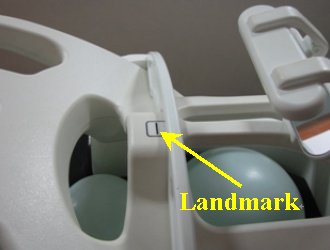
- Connect the coil to respective port of the system LPCA. Landmark
the coil at the cross mark as shown in Figure 6 and advance
to scan.
Figure 6. Landmark
- Perform the Multi-Coil Quality Assurance Tool.
3 Finalization
Finalization
No finalization steps.