1.5T HD 8-Channel Foot Ankle Coil MCQA Test Setup
Prerequisites
Coils do not ship with phantoms. Phantoms come in a Unified Phantom Set with the MR system.
1 Legacy Phantom Setup
Follow this process to prepare for the automated SNR (Signal-to-Noise) Test using the 1.5T HD 8-Channel Foot Ankle Coil by Invivo (M3340CD).
Procedure
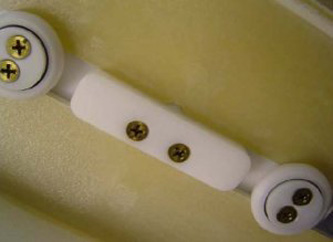
- Place the baseplate of the coil on the table:
- Lock the baseplate (shown below) to ensure the coil is centered
on the table.
Figure 1. Locking Baseplate
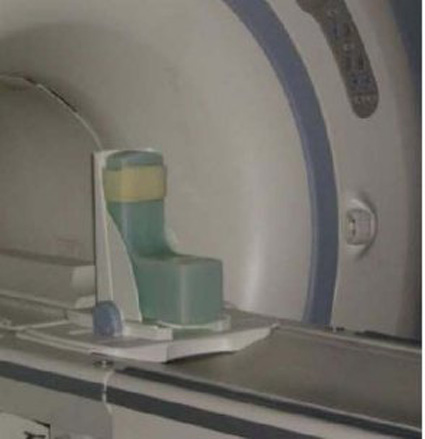
- Insert the phantom as shown below.
Figure 2. Inserting Phantom
- Lock the baseplate (shown below) to ensure the coil is centered
on the table.
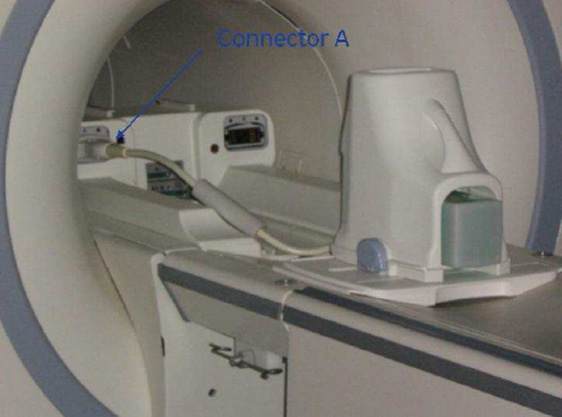
- Place the coil on the baseplate, and connect the coil to Port
A on the Hypertronics Connector in the Low Profile Carriage Assembly
(LPCA) as shown.
Figure 3. Hypertronics Connector
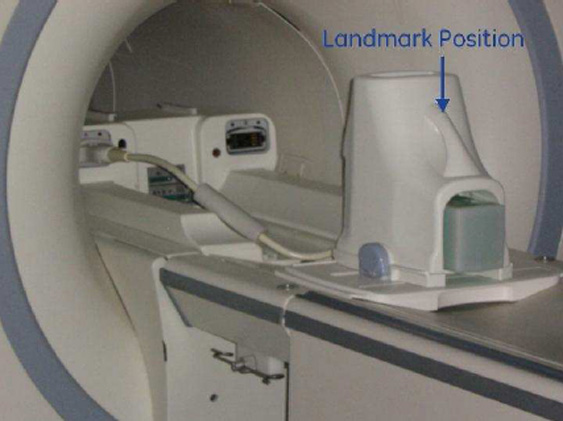
- Establish the landmark on the top of the coil as shown and Advance to Scan.
Figure 4. Landmark Position of Coil
- Run the Multi-Coil Quality Assurance Tool.
2 Unified Phantom Setup
Follow this process to prepare for the automated SNR (Signal-to-Noise) test using the 1.5T HD 8-Channel Foot Ankle Coil by Invivo (M3340CD).
Procedure
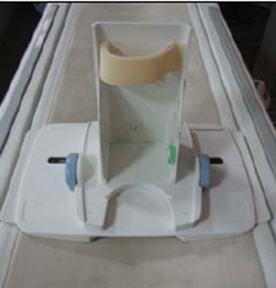
- Place the Foot Ankle Coil baseplate on the table as shown.
Figure 5. Foot Ankle Coil Baseplate on Table
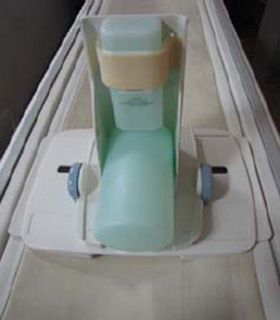
- Place the Small, Cylindrical Unified Phantom horizontally and
the Cubical Unified Phantom vertically, and fix the phantom to the
baseplate using the Velcro® as shown.
Figure 6. Cubical Unified Phantom on Baseplate
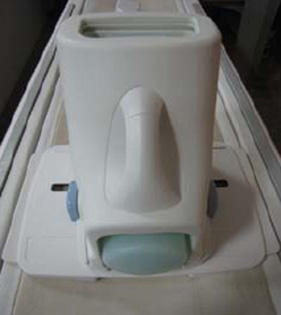
- Cover the baseplate with the coil.
Figure 7. Coil Over Baseplate
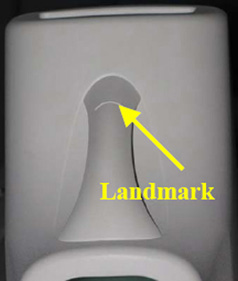
- Connect the Foot Ankle Coil to Port A of the system LPCA, and
landmark the coil at the crossmark on the coil handle.
- Press Advance to Scan.
- Run the Multi-Coil Quality Assurance Tool.
Figure 8. Crossmark on Coil Handle
- After the test is completed, carefully remove the cubical then the cylindrical phantom from the baseplate to avoid damage to either phantom.
3 What to do next
Finalization
No finalization steps.