RF Amplifier Diagnostics - PSU Voltage Test
1 Diagnostic Link
Diagnostics >> System Function >> RF >>RF Amplifier Diagnostics
Diagnostics >> Hardware Location >> System Cabinet >> RF >>RF Amplifier Diagnostics
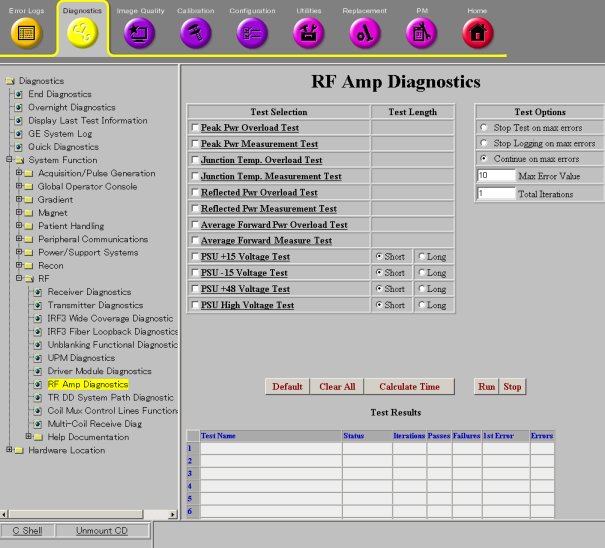
Figure 1. RF Amplifier Diagnostics
2 Purpose
 |
|
This document describes the theory of each test in RF Amplifier Diagnostics - PSU Voltage Test.
3 PSU +15 Voltage Test
This diagnostic tests the auxiliary PSU voltage (+15 Volts) of internal amplifier.
4 PSU -15 Voltage Test
This diagnostic tests the auxiliary PSU voltage (-15 Volts) of internal amplifier.
5 PSU +48 Voltage Test
This diagnostic tests the auxiliary PSU voltage (+48 Volts) of internal amplifier.
6 PSU High Voltage Test
This diagnostic tests the auxiliary PSU voltage (High Voltage; +160 Volts) of internal amplifier.